Reset Your Password
* Mandatory Fields
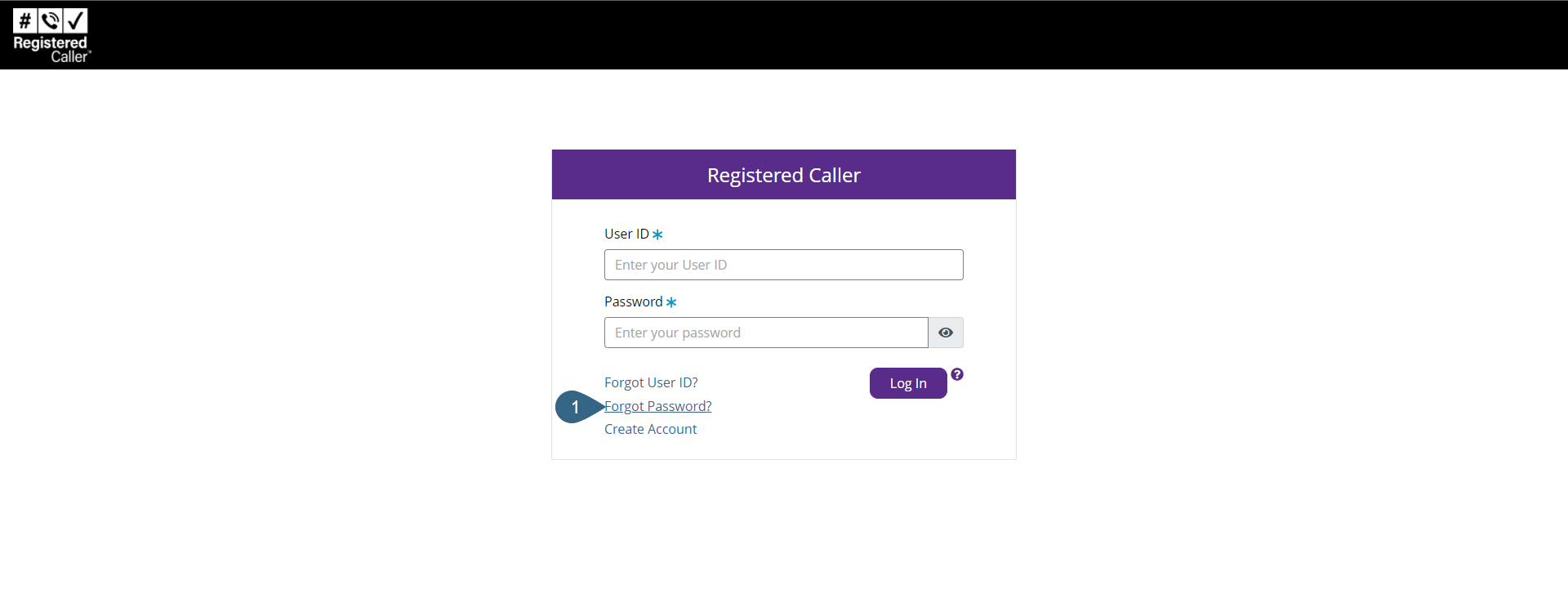
- If you forgot your password, click the Forgot Password? link.
- In the Reset your password dialog, enter the User ID * in the provided field.
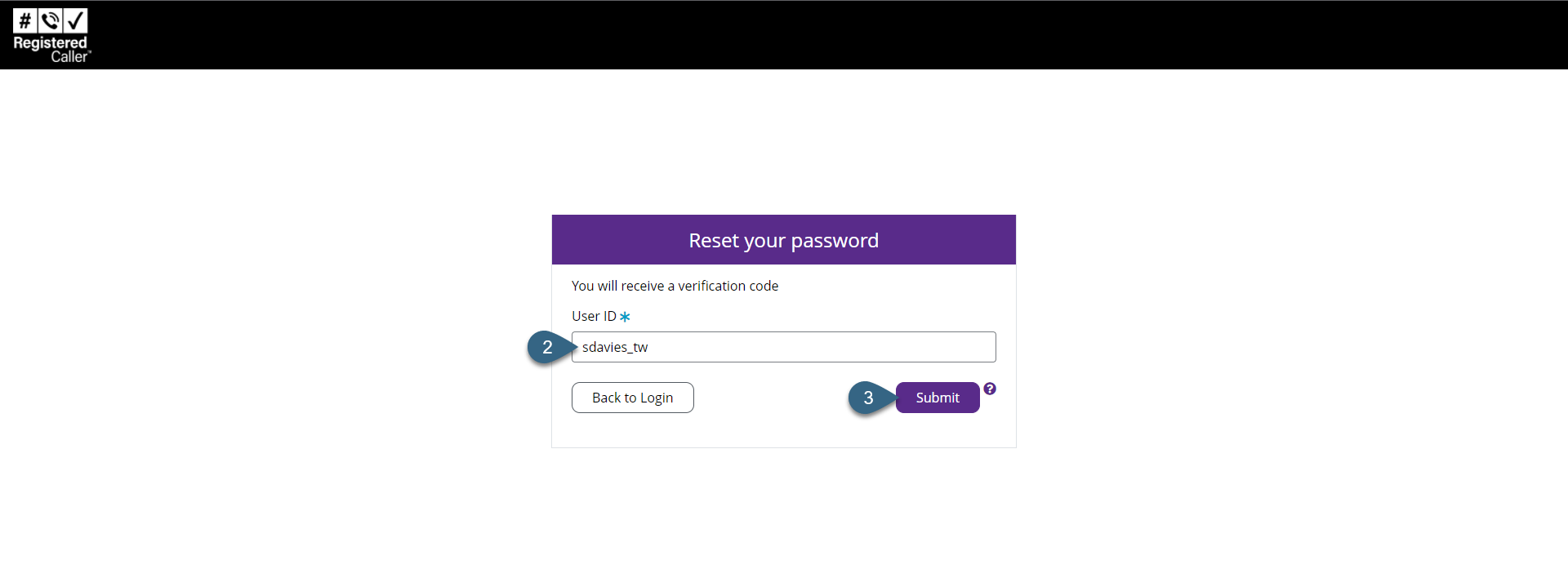
- Click Submit.
An email with the Verification Code will be sent to the email address on file. Please use the verification code to reset your password.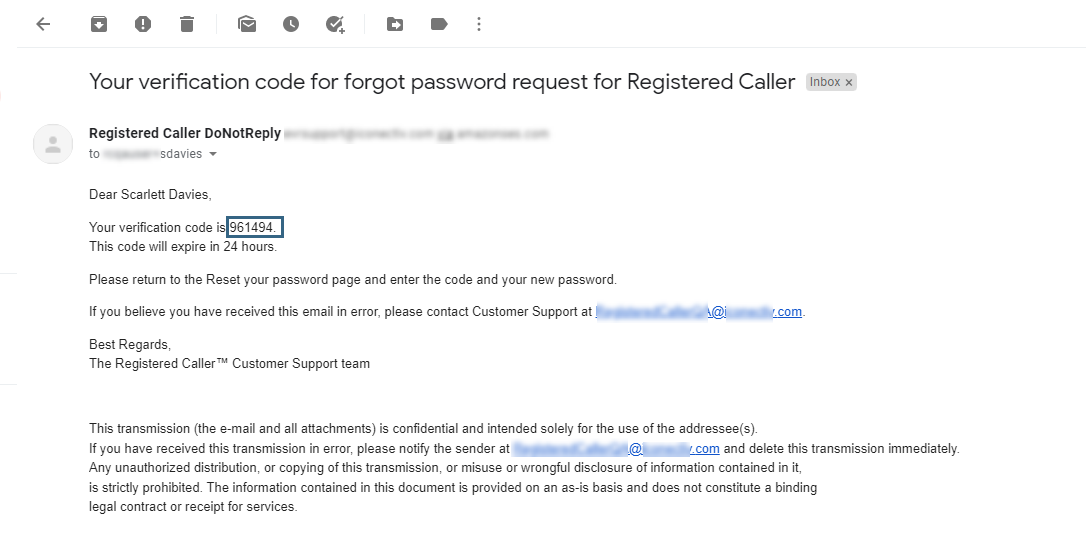
- In the Verification Code dialog's Verification Code * field,
enter the code from the email.
Hint: Your User ID may need to be deleted from the Verification Code field before the code is entered.
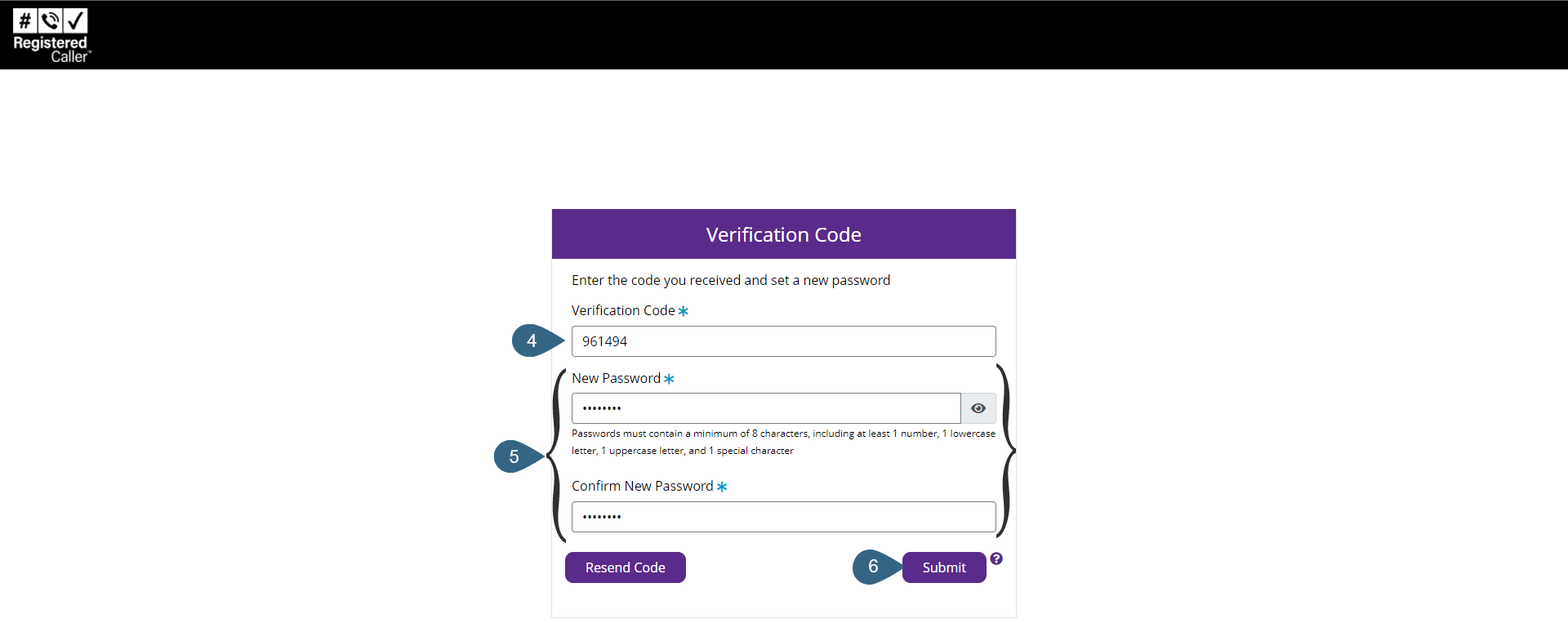
- In the New Password * field, enter the new password. In the Confirm New Password * field, reenter the new password.
- Click Submit to reset your password.
You are redirected to the login page where you can enter the newly created password and log in to your account. See Log into Registered Caller.